
Marketing Collateral That Supports a Small Business Website: Examples
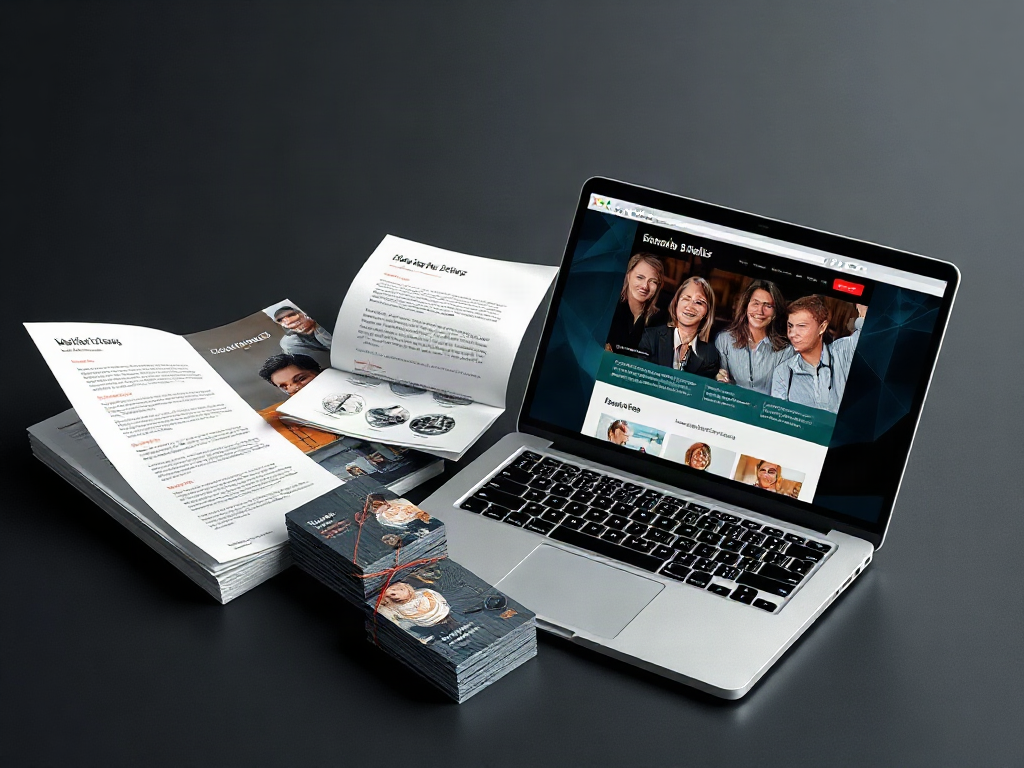
Marketing collateral that supports a small business website gives customers a useful reason to visit, evidence to evaluate an offer, and a clear route to an inquiry or purchase. Brochures, service sheets, case studies, and email follow-ups work best when each points to a relevant page rather than sending every reader to the homepage. For a lean budget, build one reusable service sheet and one credible project example before ordering several print formats. Keep prices, service details, and contact information aligned, and pair printed QR codes with a readable web address. Use labeled links and completed inquiries to judge whether each piece attracts suitable prospects, not just visits.
What you’ll learn
This guide covers the following practical points:
- Choose Collateral Around Customer Decisions — A brochure handed out at a local event has a different job from a service sheet sent after a quote request.
- Connect Printed Materials to Useful Website Pages — Printed collateral should send readers to the page that continues the conversation they are already having.
- Reuse Website Content Without Creating Conflicting Versions — Collateral and website pages should share the same facts, but they do not need identical amounts of detail.
- Launch a Small Set and Measure Qualified Inquiries — A limited launch makes it easier to discover whether collateral answers real buying questions before paying for a large print run.
Choose Collateral Around Customer Decisions
A brochure handed out at a local event has a different job from a service sheet sent after a quote request. The first needs to earn a visit; the second needs to make comparison and follow-up easier. Treating both as miniature copies of the homepage gives customers little reason to open the site.
Marketing collateral includes print and digital materials people can read, save, forward, or discuss while considering a business. Unlike an ad, which usually earns initial attention, collateral often needs to answer questions after that attention has been won. Choose the format around the question a customer still needs answered.
| Collateral | Customer question | Useful website destination |
|---|---|---|
| Business card or event handout | Does this business handle what I need? | Relevant service or location page |
| Service sheet | What is included, and what happens next? | Detailed service page with an inquiry option |
| Case study | Has this business handled a similar project? | Full project story with supporting images |
| Brochure | Which offering fits my situation? | Service comparison or category page |
| Follow-up email | What do I need before booking? | Preparation, estimate, or booking page |
For a small budget, a service sheet is often a better first investment than a multipage brochure. Staff can email it, bring it to meetings, and include it with estimates. A brochure becomes more useful when customers genuinely need to compare several offerings.
Check the destination page before producing the material. If it lacks the promised details or a usable contact form, fix that gap first. More printed pieces will not resolve an incomplete website.
Connect Printed Materials to Useful Website Pages
Printed collateral should send readers to the page that continues the conversation they are already having. A general homepage may be appropriate for a business card, but a service-specific handout usually needs a more focused destination.
Consider a hypothetical residential painting company leaving an interior-painting sheet after an estimate. The sheet could explain furniture preparation, surface repairs, and what the estimate includes. Its website link should open an interior-painting page with project photos, process details, and a way to request clarification. Sending that reader to a homepage dominated by exterior work creates an unnecessary detour.
Give the link a specific purpose. “See interior project photos and request an estimate” tells readers what they will find; “Visit our website” does not. Use one main action so a small handout does not become a crowded menu of competing links.
Place a readable web address beside the QR code. Some readers will type it later, and others may be viewing a photograph of the handout on the same phone they would otherwise use to scan it. A short address on a domain the business controls also makes future updates easier. It can redirect to a replacement page without changing the printed address.
Before approving the print run, scan a physical proof with more than one phone and test the destination on mobile. Check the form, phone link, text size, and page loading. A code that works on a large design preview may be awkward to scan once reduced or placed near a fold.
Reuse Website Content Without Creating Conflicting Versions
Collateral and website pages should share the same facts, but they do not need identical amounts of detail. The printed piece should help someone recognize a fit; the website can carry fuller explanations, galleries, and answers that change over time.
Maintain one approved record of service names, inclusions, service areas, contact details, and any published pricing. Assign someone to update it when the offer changes. Otherwise, an old PDF can keep circulating after the website has been corrected, leaving staff to explain a price or service the business no longer offers.
Put stable information in long-lived print materials. Keep short promotions, changing availability, and detailed price conditions on a maintained page. If readers need price guidance to judge suitability, do not hide it automatically; use accurate scope notes and avoid printing a fixed amount that staff cannot consistently honor.
Proof deserves more space than broad claims. A project sheet can describe the customer’s need, the work delivered, and the documented result. For the painting example, that might mean room photographs, the surfaces included, and how the crew handled preparation. Do not turn an ordinary project into an unsupported claim about savings or customer satisfaction. Obtain permission for customer quotations and identifiable project images.
Keep core service information available as a regular web page, even when offering a PDF. A PDF can be convenient to forward or print, but small text and fixed layouts can be difficult on phones. Give downloadable files descriptive names, selectable text, and contact details that still make sense when the file travels without its original email.
Launch a Small Set and Measure Qualified Inquiries
A limited launch makes it easier to discover whether collateral answers real buying questions before paying for a large print run. Test one service, one customer situation, and one main website destination rather than redesigning every sales material at once.
For the painting business, an initial set could contain a one-page interior service sheet, a short project example, and a follow-up email linking to the same service page. Staff could use the sheet after estimate conversations and note which questions customers still ask. Repeated questions about furniture moving would suggest that the material or landing page needs a clearer explanation.
Use this compact prelaunch check:
- Offer: Does the piece state who the service suits and what is included?
- Evidence: Is there a relevant photograph, project detail, or approved customer quotation?
- Destination: Does the link open the promised information rather than an unrelated page?
- Action: Can a mobile visitor easily call, request an estimate, or book?
- Ownership: Is someone responsible for the file, printed stock, and linked page?
Give different placements distinguishable links when practical. Link labels, often called UTM parameters, can identify a brochure or follow-up email in analytics. They are useful clues, not a complete record: readers may return later through search, share a file, or call instead. Ask new inquiries how they heard about the business, too.
Judge the material by suitable inquiries and clearer sales conversations, not scans alone. Visits without inquiries may point to a confusing offer or difficult form. Wrong-fit inquiries may mean the collateral needs clearer service boundaries. Low use may simply mean staff are not handing it out at a useful moment.
Frequently Asked Questions
How much should a small business spend on marketing collateral?
There is no reliable budget without knowing the format, quantity, design needs, and distribution plan. Price a small test set first, including copy, photography, design, printing, and updates. Compare the full cost with how often staff will use it before committing to a larger order.
Should customers enter an email address to download a brochure?
Usually, a basic service brochure should be available without a form because it helps people decide whether to contact you. A more detailed planning resource may justify an email request, but explain what the reader receives and whether follow-up messages are part of the offer.
Does printed collateral need to look exactly like the website?
It should look recognizably connected through the business name, logo, colors, and tone. The layout can differ. Print needs readable type, comfortable spacing, and a visible address, while a website can reveal information through navigation and expandable sections.
Can one brochure cover several services?
Yes, when customers commonly compare those services before choosing. Use clear sections that help readers identify their fit. If each service attracts a different buyer or needs a detailed explanation, separate service sheets may be easier to use and cheaper to update.
Is marketing collateral useful for a business that operates entirely online?
Yes. A capability sheet, proposal companion, product comparison, or short case study can help a prospect explain the purchase to someone else. Make the document understandable when forwarded, with enough context and contact information for a reader who has never visited your site.
Conclusion
Build the smallest set of materials that helps customers move from interest to a well-informed conversation. Choose a service sheet or brochure for a specific buying question, connect it to a useful page, and check that both tell the same story. Before ordering more, review the questions staff receive and the quality of resulting inquiries. A modest, current set that people actually use is more valuable than a large collection of disconnected pieces.