Profile Discovery Links for Social Media That Open Correctly in Greeneville, TN
At a Glance
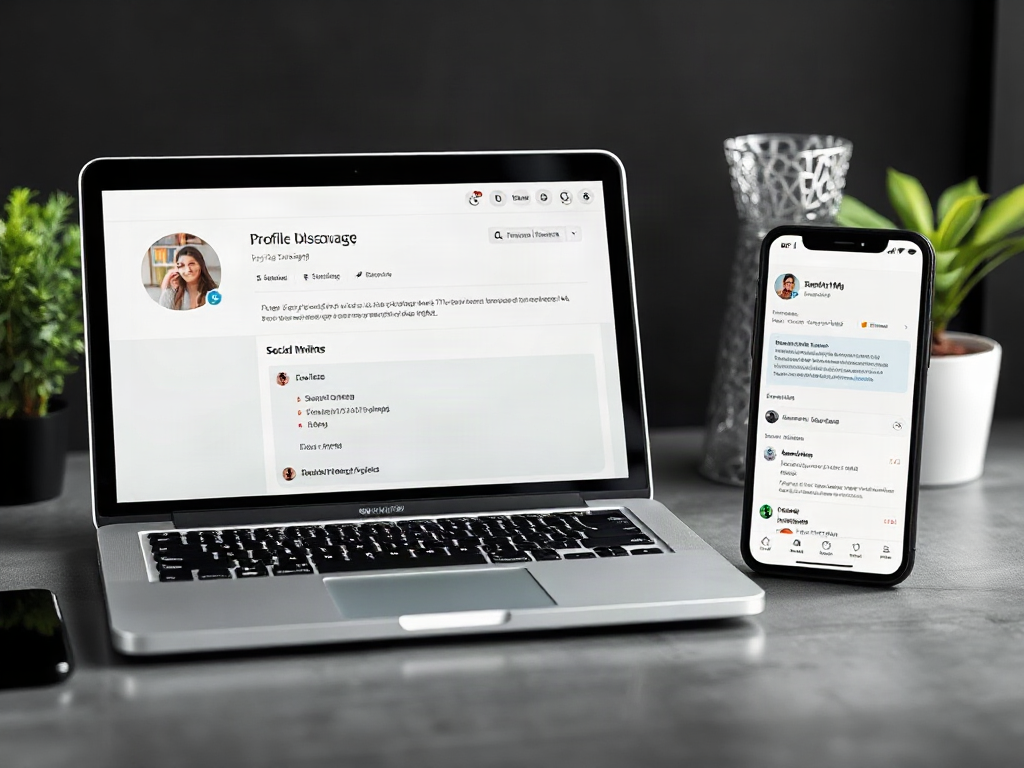
A discovery link should land on the account itself, not on whichever post someone last copied. A visitor following a website’s Instagram icon expects the business profile, where they can check the name, browse content, and decide whether to follow. Sending that visitor to an old promotion adds an unnecessary detour.
What you’ll learn
- Choose the Correct Public Profile URL: A discovery link should land on the account itself, not on whichever post someone last copied. A visitor following a website’s Instagram icon expects the business profile, where they can check the name, browse content, and decide whether…
- Make Official Accounts Easy to Recognize: A working link still creates doubt when the destination looks unrelated to the business. Match the profile’s display name, logo, description, and website field closely enough that visitors can recognize the relationship. Identical handles across networks are convenient,…
- Test Profile Links Outside Your Own Session: Testing from an account you already manage can hide access problems. Your signed-in browser may display a private profile, administrative view, or content that a new visitor cannot see. Use a signed-out browser window and a phone to…
Exploring “Profile Discovery Links for Social Media That Open Correctly” in Greeneville, TN? Use this guide to understand the key considerations and prepare your questions.
Local help with your next step
Mainline Marketing Group, llc offers Social-media marketing in Greeneville. If this guide raises questions about what you need, start a conversation about the available options, timing and pricing.
Service notes: Travel radius supplied by client: 100+ miles.
Cross-state service: Yes.
Choose the Correct Public Profile URL
A discovery link should land on the account itself, not on whichever post someone last copied. A visitor following a website’s Instagram icon expects the business profile, where they can check the name, browse content, and decide whether to follow. Sending that visitor to an old promotion adds an unnecessary detour.
The phrase describes a link’s purpose, not a universal social-platform feature. A profile discovery link points toward a social account; a link-in-bio page usually sends people away from an account toward a website, shop, or other destinations. A directory can connect several accounts, but it introduces another page between the visitor and the profile.
Open the intended profile and use its sharing control or copy its public browser address. Confirm the account type: a founder’s personal LinkedIn profile is not interchangeable with the company’s LinkedIn page. Preserve the supplied spelling and path rather than constructing an address from the display name.
Prefer the public HTTPS address for website links instead of an app-specific shortcut. An HTTPS link gives browsers a web destination, although the device may offer to open an installed app. Remove sharing parameters only after confirming that the shorter version reaches the same account; do not assume every parameter is disposable.
Make Official Accounts Easy to Recognize
A working link still creates doubt when the destination looks unrelated to the business. Match the profile’s display name, logo, description, and website field closely enough that visitors can recognize the relationship. Identical handles across networks are convenient, but an accurate, recognizable account matters more than forcing a naming pattern that is unavailable.
Label links according to the destination. “Instagram — Main Store” and “Instagram — Workshops” are more useful than two identical Instagram icons when a business runs separate accounts. Avoid describing an account as customer support unless someone actually monitors it for that purpose.
Place permanent account links in predictable locations, such as the website footer or contact page. On a staff biography, distinguish the employee’s professional profile from the organization’s page. A social icon beside a person’s name can otherwise send visitors to the wrong kind of account.
For example, a bakery might use one Instagram account for daily opening updates and another for wedding cakes. Its contact page should identify those roles rather than ask visitors to inspect both feeds. Icon-only links also need accessible names so screen-reader users can identify each destination.
Recognizable branding helps visitors judge the destination, but it is not proof of ownership. Likewise, HTTPS secures the connection; it does not establish that a profile represents the business it claims to represent.
Test Profile Links Outside Your Own Session
Testing from an account you already manage can hide access problems. Your signed-in browser may display a private profile, administrative view, or content that a new visitor cannot see. Use a signed-out browser window and a phone to inspect the actual visitor experience.
Check the published link, not just the URL stored in the website editor. A correct destination can still be attached to the wrong icon, covered by another mobile element, or omitted from a responsive footer. Test whether the control is easy to tap as well as whether it resolves.
- Follow the website link: confirm that the displayed account name and handle match the intended destination.
- Check signed-out access: note whether visitors see the profile, a login request, or an unavailable-page message.
- Try a phone: inspect both the browser destination and any app handoff that occurs.
- Inspect intermediary pages: remove unnecessary shorteners or link hubs when a direct profile link serves the same purpose.
A platform login request is different from a broken address. Networks control how much content they show to signed-out visitors, and a website link cannot override those restrictions. If the correct account appears after authentication, the destination may be valid even though access is inconvenient.
When the link fails, open the profile independently through the platform and obtain its current public address. Replace the saved destination, publish the change, and repeat the visitor-side test before assuming the problem is resolved.
Read the full guide: Profile Discovery Links for Social Media That Open Correctly
Ready to take the next step?
Mainline Marketing Group, llc
Mainline Marketing Group offers the client-selected services within the approved service areas listed in this profile.
Whether you are comparing options or ready to get started, tell Mainline Marketing Group, llc what you have in mind. Ask about Social-media marketing, explain what matters to you, and discuss the next step before making a decision.
Local questions
Does Mainline Marketing Group, llc offer Social-media marketing in Greeneville?
Yes. Social-media marketing is listed among the services Mainline Marketing Group, llc offers in Greeneville. Contact the business to confirm availability and any requirements.
How can I get started?
Call 828-536-0055 or use the contact options above. Share what you need, any questions you have and your preferred timing. Ask about options and pricing so you can decide on your next step.
Business-supplied service information
Services and coverage were supplied by Mainline Marketing Group, llc. Contact the business to confirm the scope and availability for your needs.